
Your diary holds your most private thoughts, confidential writing, and personal notes that no one else should read. If you’re wondering how to keep your diary safe, it’s more important than ever to take the right precautions. Whether you use a handwritten journal or a digital diary on your phone, security plays a bigger role than most people realize. Threats like theft, snooping, hacking, and data leaks continue to rise, with cybersecurity reports showing a 47% increase in personal data breaches in 2026 alone. This guide will show you how to keep your diary safe from start to finish while protecting your personal privacy.
Why Diary Security Matters
A diary holds feelings you may never say out loud and personal documents you would not share with anyone. When someone reads your confidential writing without your say, it causes real damage — broken trust, emotional distress, and harm to your closest relationships. Good diary security is not just about hiding a book; it is about protecting your right to private thought. The steps you take today are never wasted, no matter how small they seem at first glance.
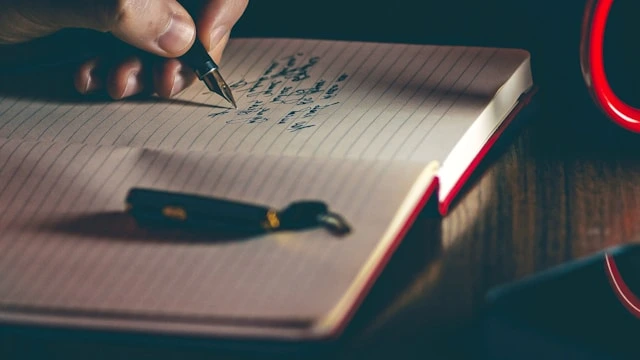
Physical Diary Security Methods
Physical Diary Security Methods form the first layer of protection for anyone who writes by hand. A paper diary has one clear weak point: anyone who finds it can read it right away, with no password or device needed. That is why the way you store your personal documents and lock them away is so important. Building a proper threat protection habit from day one keeps your confidential writing safe at home and while you travel.
Safe Storage Locations for Your Diary
Safe Storage Locations are the single most important choice you make for a paper diary. A diary left on a desk or bedside table is an open invitation. Choose a spot that is hard for others to find but quick for you to reach when you want to write. Secure storage at home does not need to be expensive — the key is picking a spot and using it every time without fail.
Good options for secure storage include locked drawers, home safes, fireproof document boxes, and hidden spots inside furniture. A small home safe with a digital lock gives strong protection and is sold at most hardware stores at a low price. Bank safety deposit boxes offer the highest level of secure storage for personal documents you do not need to access every day, such as old journals or sensitive entries you want to keep long term.
- Locked drawers or file cabinets at home or at work
- Home safes with a digital or key lock for daily use
- Fireproof document boxes for extra threat protection against fire or flood
- Hidden spots behind wall art, in bookshelves, or inside furniture
- Bank safety deposit boxes for diaries with highly sensitive content
Physical Locks and Security Devices
Many diaries come with a small built-in lock, but these can often be opened with a basic pin or paperclip. For better threat protection, look for diary covers with strong combination locks or digital keypads. Some advanced models include a small alarm that triggers if someone tries to force the lock. Biometric security devices using fingerprint readers are now sold at low prices and offer the strongest keyless protection available for physical journals and personal documents.
Lock Screen Protection Methods
If you use your phone or tablet to review diary photos or scans, your device lock screen becomes part of your diary security plan. A strong PIN, face scan, or fingerprint lock adds a key barrier against anyone who picks up your device. Set your screen to lock after no more than five minutes of no use. This one Lock Screen Protection Methods habit stops most casual snooping on your personal privacy before it ever starts.
Daily Habits That Keep a Paper Diary Safe
Good daily habits are just as important as locks and secure storage boxes. Always put your diary in its safe spot the moment you finish writing. Never leave it on a table when you leave the room, even for a short moment. Tell no one where you keep your personal documents unless you trust that person fully with your most private thoughts and confidential writing. Small habits repeated every day build the strongest long-term diary security.

Understanding Diary Security Threats
Knowing the most common threats helps you choose the right steps to fight them. Physical diary threats come mostly from people who already have access to your home or workplace. Digital threats are wider and can come from anywhere in the world at any time. Both share one key trait: they look for the easiest way in, so making things harder often stops them on the spot without any further action needed on your part.
Common Diary Security Vulnerabilities
For paper diaries, the main risks are theft, loss during travel, and family members finding your personal documents. For digital journals, weak passwords, poor cloud encryption, and public Wi-Fi access are the biggest weak points. Social engineering attacks — where someone tricks you into giving your login details — are also a growing threat protection concern for diary app users worldwide. A full security audit of your habits once every few months reveals weak spots before they cause real harm.
- Weak or reused passwords on diary apps and linked email accounts
- Cloud storage files saved with no cloud encryption or access controls
- Paper diaries left in plain sight at home, school, or at work
- Old diary apps with outdated mobile security and no recent updates
- Using public Wi-Fi to open or sync digital journals without a VPN
Moving to an Online Diary: What You Need to Know
An online diary is a journal you keep on a phone, tablet, laptop, or web app. Digital journals let you write from any device, search old entries fast, and back up your data to the cloud in seconds. At the same time, a digital diary connects to the internet and syncs across many devices, which creates more points where a breach can happen. Learning how digital safety and cloud encryption work lets you use these tools with full confidence and strong personal privacy at all times.
Digital Diary Protection Techniques
Digital Diary Protection Techniques cover password protection, cloud encryption, and access controls together. The best approach stacks all three at once — a strong unique password, full device encryption, and two-step login. These three steps combined stop the vast majority of attacks that target digital journals and personal documents online. Skipping even one of them leaves a gap that skilled attackers can find and use against your personal privacy quickly.
Password Protection Best Practices
Password Protection Best Practices form the foundation of digital diary safety worldwide. Use at least 12 characters mixing upper and lower case letters, numbers, and special symbols at random. Never use your name, birthday, or any word others might guess. Password protection works best when each account has a completely unique code. A password manager like Bitwarden or 1Password generates and stores strong passwords for you — change your diary password every 90 days or right away if you think it may have been seen by someone else at any point.
Encryption Methods for Personal Journals
Encryption Methods for Personal Journals protect your confidential writing even if your device is stolen or your account is hacked. AES-256 encryption is the gold standard used by top diary apps and encryption software around the world. It makes your notes nearly impossible to read without the right key. End-to-end encryption means only you can access your data. Free encryption software like VeraCrypt lets you create a secure vault on your computer to store personal documents with a very high level of access controls and privacy at all times.
Two-Factor Authentication Setup
Two-Factor Authentication Setup adds a second check beyond your password alone. After you enter your code, the system asks for a one-time number from your phone or an authenticator app. This means even if someone steals your password, they still cannot get in without that second step. Authentication methods like Google Authenticator or Authy work offline and create new codes every 30 seconds. Enabling Two-Factor Authentication Setup is one of the fastest ways to improve digital safety for all your digital journals and personal documents right now.
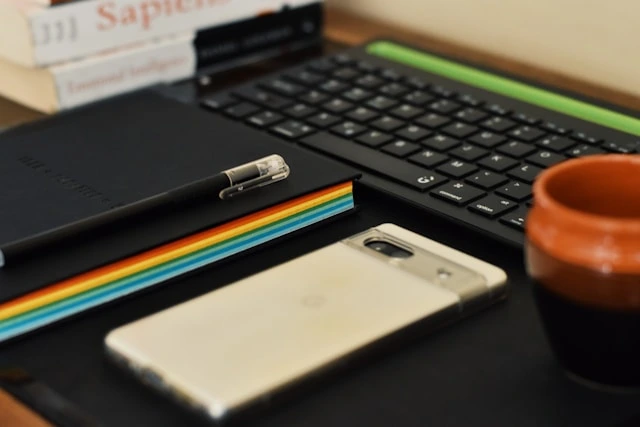
Best Diary Apps with Security Features
Best Diary Apps with Security Features give you ease of use and strong diary security together in one place. The best secure applications combine end-to-end cloud encryption, strong authentication methods, and full access controls over your own data. Look for apps that block screenshots, force auto-logout, and support offline storage so your digital journals stay safe even without an internet connection. According to app security reviews in 2026, secure applications with built-in encryption saw an 89% jump in downloads as more people took their personal privacy seriously.
Top Encrypted Diary Applications
SafeDiary.app is the top secure application for keeping your digital journals private. It uses AES-256 end-to-end cloud encryption and gives you a full secure cloud backup for all your entries at $15.99 per month. The app works across all major devices, logs you out after no use, blocks screenshots by default, and keeps full access controls in your hands alone. It is one of the most trusted encryption software solutions for personal privacy and confidential writing available to diary users worldwide today.
Mobile Diary App Security Settings
Mobile Diary App Security Settings need careful setup on your phone to work well for mobile security. Turn on an app-specific lock that is separate from your main device PIN. Set auto-logout after 10 to 15 minutes and turn off diary alerts on your lock screen. Good mobile security also means turning off cloud sync on public Wi-Fi and enabling offline storage so your entries are always saved locally with encryption even when you have no internet connection.
- App lock with a PIN, face scan, or biometric security check
- Auto logout after 10 to 15 minutes of no use on any device
- Screenshots blocked inside the diary app at all times
- Offline storage with local encryption for entries on your phone
- Wi-Fi sync blocked on open or unsecured public networks
Cloud Storage Security Options
Cloud Storage Security Options let you back up your diary safely while keeping personal privacy intact and your personal documents easy to reach. Good backup solutions use cloud encryption both during transfer and while your data sits on the server. Look for cloud providers with two-step login, zero-knowledge encryption, and clear privacy policies you can actually read and understand. Secure storage in the cloud means your confidential writing survives even if your phone or laptop is lost, stolen, or broken beyond repair.
Choosing Secure Cloud Providers
Google Drive, iCloud, Dropbox, and OneDrive all offer solid base security for most users. For stronger personal privacy, look for zero-knowledge cloud encryption where only you can decode your own data. Check if the provider publishes third-party security audit results and read the privacy policy to know exactly how your personal documents are stored and used on their servers every day. Access controls that limit who can view your account add another layer of protection to your backup solutions.
Backup and Recovery Strategies
Backup and Recovery Strategies protect your diary from data loss caused by a broken device, accidental delete, or ransomware. Keep at least two backup solutions running: one local encrypted drive for offline storage and one secure cloud account. Recovery methods should be tested every few months to make sure they work when you need them most. Store backup codes in a safe offline storage spot so you can always regain access even if you get locked out of your account. Good recovery methods mean your personal documents are never truly lost.

Global Privacy Laws and Your Rights
Global privacy laws protect your diary as private data and personal documents no matter where you live. GDPR in Europe, CCPA in California, PDPA in Thailand, and similar regional rules give you clear legal rights over your confidential writing and digital journals. These laws limit who can access your files without your clear consent. Knowing your rights under global privacy laws helps you choose the right tools, demand privacy compliance from app developers, and make smart diary security decisions every step of the way.
Data Protection Compliance Worldwide
Data Protection Compliance Worldwide means that diary apps and cloud providers must follow strict rules about how they handle your personal privacy. Most global privacy laws require third parties to get your clear consent before accessing or sharing your personal documents. Apps that meet data protection compliance standards give you stronger access controls and more transparency over how your confidential writing is stored. Always check if a diary app publishes a clear privacy compliance policy before you trust it with your most personal data.
Global Cybersecurity Best Practices
Global cybersecurity best practices from top security experts agree on the same core habits. Keep all apps and devices fully updated since security patches close holes that attackers use to steal personal documents and confidential writing. Avoid public Wi-Fi when you open your digital journals, and use a trusted VPN when you must. A personal security audit every three months checks your password protection, cloud encryption settings, and access controls to make sure everything is still tight and working as planned at all times.
How to Keep Your Diary Safe and Secure: Long-Term Maintenance
Diary security needs steady attention over time to stay ahead of new threats. Set a monthly check to review your password protection, test your backup solutions, confirm your recovery methods, and update your apps. Good habits around personal privacy built up over many months cut your risk by a large margin. When you switch phones or diary apps, move your personal documents and digital journals using encrypted transfer methods and secure applications to avoid any leaks or data loss during the process.

FAQs for How to keep your Diary Safe
How can I password protect my digital diary on my phone?
Go to your diary app settings and turn on an app-specific lock with a PIN, face scan, or biometric security check. Set auto-logout after 10 minutes and block screenshots inside the app. These mobile security steps keep your digital journals safe from anyone who picks up your phone without your permission.
What are the best apps for keeping a secure diary?
SafeDiary.app is the top choice with AES-256 end-to-end cloud encryption, offline storage, and strong privacy compliance at $15.99 per month. It includes encrypted backup solutions, two-step login, and full access controls for your personal privacy in one easy secure application.
Is it legal to encrypt my personal diary files?
Yes. Using encryption software to protect your personal documents and confidential writing is legal in most countries and supported by global privacy laws like GDPR and CCPA. It is widely encouraged as a best practice for personal privacy and data protection compliance worldwide.
How do I back up my diary safely without losing privacy?
Use encrypted cloud backup solutions and keep a second copy in offline storage on an external drive. Enable two-step login on all backup accounts, use unique passwords, and test your recovery methods every few months to confirm your personal documents are always restorable and safe.
Protecting your diary takes a mix of physical habits and modern digital tools. Start with secure storage and a strong lock for your paper journal. Then add password protection, cloud encryption, and two-factor authentication setup for your digital journals. Run a security audit every few months and update your access controls and backup solutions as your needs change. Your confidential writing and personal documents deserve steady, reliable protection — whether they live on a paper page or inside a trusted secure application on your phone.