
Every day, people look for better ways to organize their lives, capture memories, and protect their thoughts. The traditional paper diary has served this role for centuries. But in our digital world, digital diaries have become more than just a replacement for pen and paper—they are powerful, flexible, and secure tools for anyone who wants to track their life, goals, and ideas with ease.
If you’ve ever wondered how switching to a digital diary could change the way you write, remember, and secure your private thoughts, you’re not alone. This article will guide you through all the main benefits of using a digital diary. We’ll look at how they help with organization, privacy, productivity, and even mental health. Whether you’re a student, a busy professional, or someone who wants to keep a secure online journal, you’ll find clear, practical answers here.
What Is A Digital Diary?
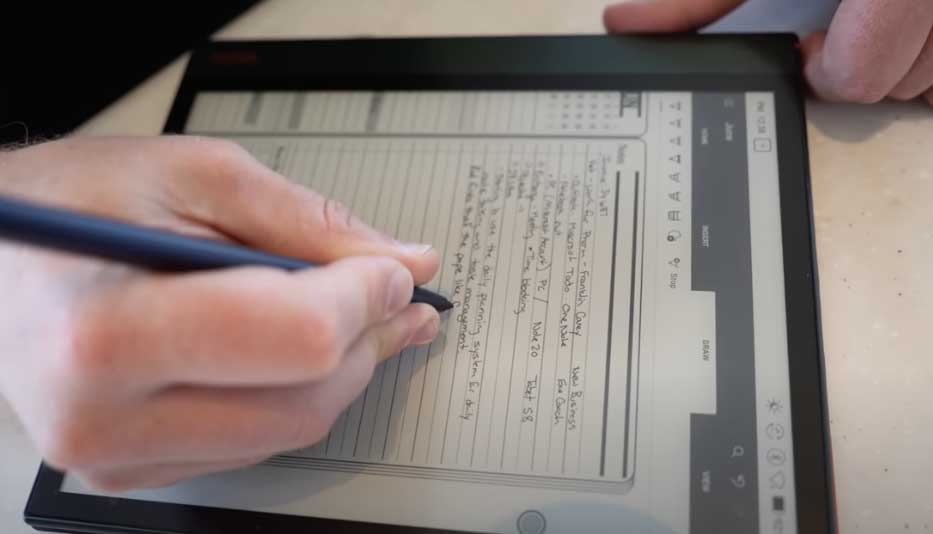
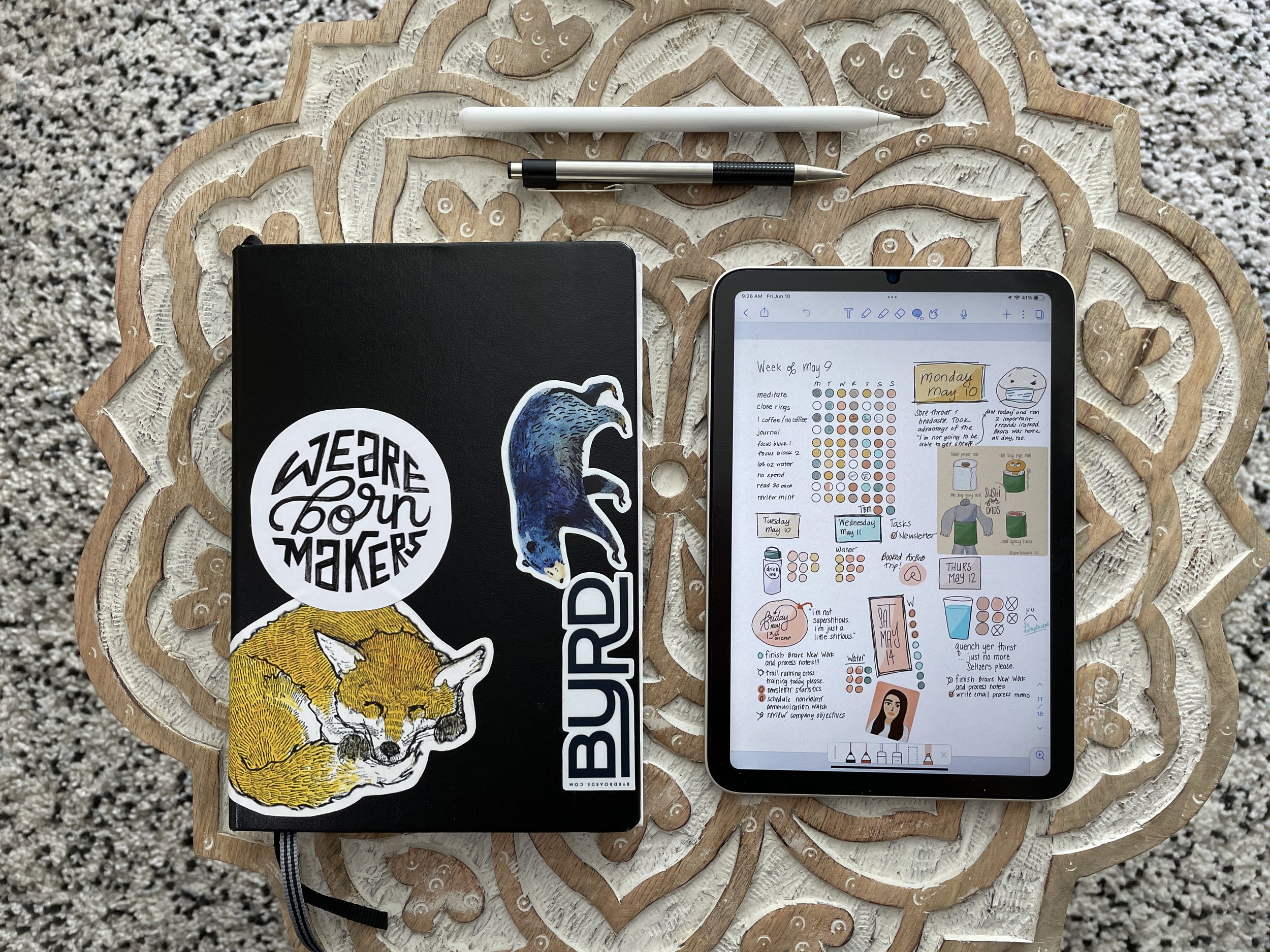
A digital diary is an online or electronic application where you can write daily entries, store memories, and manage notes. Unlike a paper diary, a digital diary is often available on your phone, tablet, or computer, and can include features like password protection, cloud backup, search, and tags.
Modern apps like SafeDiary add even more features: end-to-end encryption, markdown writing, cross-device access, and advanced privacy controls. Instead of worrying about someone finding your paper diary, you get the freedom to journal anywhere—with tools that keep your information safe.

Key Benefits Of Using A Digital Diary
Let’s explore the many ways a digital diary can improve your daily life.
1. Enhanced Security And Privacy
One of the biggest reasons people switch to a digital diary is for better privacy. Paper diaries can be lost, stolen, or easily read by others. Digital diaries, especially privacy-focused ones like SafeDiary, protect your data with advanced security:
- End-to-end encryption: Your entries are encrypted with strong algorithms like AES-256-GCM, which means only you can read them—not even the diary provider can see your data.
- Zero-knowledge technology: With zero-knowledge encryption, your password or encryption keys are never stored on the server.
- Two-Factor Authentication (2FA): Even if someone finds your password, 2FA adds another layer of protection by asking for a code from your phone.
- Auto-lock and panic lock: If you forget to log out, auto-lock closes your diary. Panic lock lets you instantly secure your diary if you need to walk away.
For example, SafeDiary uses all these methods to keep your journal private, making it a top choice for anyone worried about digital privacy.
2. Easy Access Across Devices
A physical diary is limited to one place. With a digital diary, you can access your entries from:
- Your laptop at home
- Your phone while traveling
- Your tablet at a coffee shop
Cloud-based diaries sync data in real time, so you never lose your notes. This means you can write whenever inspiration strikes—without carrying a heavy book.
3. Powerful Search And Organization
Have you ever tried to find an old entry in a paper diary? It’s slow and frustrating. Digital diaries fix this with:
- Search tools: Type a keyword or date to find any entry in seconds.
- Tags and categories: Group similar entries together, such as “work”, “dreams”, or “travel”.
- Calendar views: See your entries by month or week.
Here’s a quick comparison of traditional vs. digital diary organization:
| Feature | Paper Diary | Digital Diary |
|---|---|---|
| Search | Manual, slow | Instant keyword search |
| Tags/Categories | Manual bookmarks | Easy tagging system |
| Calendar view | None | Built-in calendar |
These features make it simple to review your memories or track your progress over time.
4. Data Backup And Recovery
Losing a paper diary can be heartbreaking. Fires, floods, or simple accidents can destroy years of memories. Digital diaries solve this problem with:
- Automatic backups: Your entries are saved to the cloud or your device.
- Encrypted export/import: You can download your diary in an encrypted file and keep a backup offline.
- Version history: Some apps let you restore previous versions if you accidentally delete or change something.
This peace of mind is something beginners often overlook. A digital diary means your memories are much safer from loss or damage.
5. Flexibility In Writing And Formatting
Digital diaries offer markdown support and rich text formatting. This means you can:
- Add bold, *italics*, or underline for important points
- Create bullet or numbered lists
- Insert images, links, or even code snippets
Apps like SafeDiary let you write in markdown, making your entries look clean and organized. This flexibility makes your diary feel personal and modern.
6. Environmentally Friendly
A digital diary is paperless. By writing online, you help save trees and reduce waste. While it might seem small, over the years, this adds up—especially if you write often. Choosing digital is a simple way to make your journaling more sustainable.
7. Reminders And Habit Tracking
Many digital diaries let you set reminders to write every day, track your habits, or set goals. For example, you can:
- Get a daily notification to journal
- Track how many days you’ve written in a row
- Set goals for mood, gratitude, or fitness entries
These small features help you stay consistent and make journaling a healthy habit.
8. Integration With Other Apps
Some digital diaries connect with your calendar, to-do list, or even health apps. This means you can:
- Pull in events from your calendar
- Link diary entries to tasks
- Track your mood with fitness data
Integration makes your diary a central part of your productivity and wellness routine.
9. Easy Sharing And Collaboration
While diaries are usually private, sometimes you may want to share an entry or collaborate—like a shared gratitude journal with your partner. Digital diaries allow:
- Secure sharing of selected entries
- Collaborative writing with permissions
- Exporting entries to PDF or email
You stay in control of what to share and with whom, without copying pages by hand.
10. Accessibility Features
Digital diaries are often easier to use for people with disabilities. Features include:
- Voice-to-text for hands-free writing
- Screen reader support for the visually impaired
- Adjustable font sizes and colors for easier reading
These features make journaling possible for more people.

11. No Physical Space Needed
A physical diary takes up space and can be heavy to carry. With a digital diary, your entire writing history fits in your pocket. No more worrying about running out of pages or finding a place to store old diaries.
12. Advanced Search And Analytics
Beyond basic search, some digital diaries offer analytics like:
- Most common moods or topics
- Writing frequency over time
- Word counts and trends
These insights help you understand yourself and your habits better.
13. Disaster Recovery
If your device is stolen or breaks, you can recover your diary from the cloud. This is a safety net that paper can never offer. Just log in from a new device, and your entries are back.
14. Customizable Appearance
Digital diaries let you choose themes, fonts, and colors that match your style. Some offer dark mode for night writing, or special layouts for different types of entries. This small touch makes writing more enjoyable.
15. Cost-effectiveness Over Time
While some digital diaries charge a small fee, you save money over time:
- No buying new notebooks or pens
- No shipping costs for physical products
- Many apps offer free versions with strong features
Over years of journaling, digital diaries are often cheaper than paper.
16. Automatic Date And Time Stamps
Every entry is automatically marked with the date and time. This helps you track your progress, remember when things happened, and organize your memories without extra work.
17. Multiple Journals In One Place
You can keep different diaries for work, dreams, fitness, or gratitude—all in one app. Switching between them is easy, and you never have to carry multiple notebooks.
18. Global Accessibility
Traveling abroad? No problem. As long as you have internet, you can access your diary anywhere in the world. This is especially helpful for frequent travelers, students studying overseas, or people with family in different countries.
19. Easy Entry Export And Printing
Digital diaries let you export entries as PDF, Word, or plain text files. If you ever want a printed copy, it’s just a click away. You can also back up your entries or share them with a therapist, coach, or family member.
20. Version Control
Some advanced diaries keep a history of changes. If you edit or delete something by accident, you can go back to an earlier version. This feature is a lifesaver if you make mistakes or want to see how your thoughts have changed.
21. Reduced Risk Of Unauthorized Access
With features like auto-lock, panic lock, and advanced encryption, digital diaries like SafeDiary make it much harder for anyone to access your data without permission. Unlike a paper diary hidden under your bed, your online diary can’t be opened without your password and a second code.
22. Encourages Consistent Writing
Features like reminders, streak tracking, and easy access encourage you to write more often. The easier it is to open your diary, the more likely you are to keep the habit going. This leads to better self-reflection and mental health over time.
23. Supports Multimedia
Digital diaries allow you to add:
- Photos of your day
- Voice recordings
- Videos or audio notes
- Links to websites or articles
Paper can’t do this. Adding multimedia brings your memories to life and makes journaling more fun and interactive.
24. No Risk Of Physical Wear And Tear
Paper diaries can get damaged by water, fire, pets, or simply age. Digital diaries stay as fresh as the day you wrote them. Your handwriting can’t fade, and your pages can’t rip.

25. Useful For Personal Knowledge Management
A digital diary is not just for memories. It’s also a tool for personal knowledge management. You can:
- Collect study notes
- Organize project ideas
- Write down dreams, goals, and lessons learned
Apps like SafeDiary allow you to tag, search, and organize everything, making it easier to learn from your own life.
Here’s a quick data table comparing key features of popular digital diary apps:
| App Name | Encryption | 2FA | Markdown Support | Cross-Device | Tags/Search |
|---|---|---|---|---|---|
| SafeDiary | AES-256-GCM | Yes | Yes | Yes | Yes |
| Journey | Standard SSL | No | No | Yes | Yes |
| Day One | End-to-end | Yes | No | Yes | Yes |
26. Ideal For Note-taking And Quick Capture
Digital diaries are fast. You can jot down a quick idea, to-do, or dream right from your phone. No searching for a pen or worrying about messy handwriting. This speed makes it easier to capture thoughts before they fade.
27. Supports Encrypted Import/export
With apps like SafeDiary, you can export your entire diary in an encrypted file. This means you can move your data between devices, or keep a secure backup, without worrying about leaks.
28. Panic Lock For Emergency Privacy
A unique benefit of SafeDiary is its panic lock. If you need to lock your diary instantly—maybe someone walks in or you feel unsafe—you can do it with one click. This is a feature most beginners don’t know exists, but it gives peace of mind.
29. Seamless Updates And Improvements
Digital diaries get regular updates. Developers add new features, fix bugs, and improve security. Your app gets better over time, while a paper diary never changes.
30. Encourages Reflection And Growth
Digital diaries make it easy to look back, analyze your growth, and set new goals. With search, analytics, and multimedia, you get a full picture of your life’s journey.
Two Non-obvious Insights Beginners Miss
- Encrypted export/import is crucial. Many people focus on encryption during use, but forget about exports. If you ever switch devices or apps, exporting your diary in encrypted form (like SafeDiary offers) keeps your data private in transit.
- Panic lock can save you in unexpected moments. Most users only think about passwords. But real privacy threats can come suddenly—like someone entering the room. Panic lock is a simple tool, but it can prevent awkward or dangerous situations.
How To Choose The Right Digital Diary
Not all digital diaries are equal. Here are practical steps to choose the best one for your needs:
- Check privacy and encryption. Does the app offer end-to-end encryption? Zero-knowledge security? 2FA?
- Look for markdown and search. If you like clean formatting, markdown support is helpful. Search and tags make your diary usable long-term.
- Consider cross-device support. Will you write on your phone, tablet, or laptop? Make sure the app syncs across all your devices.
- Test backup and export. Try exporting your diary and restoring it. Make sure it’s encrypted and easy to use.
- Review additional features. Do you want reminders, habit tracking, or analytics? Pick an app that fits your style.
A good starting point is trying a free or trial version to see if it matches your habits.
Real-world Example: Safediary
SafeDiary is a browser-based, privacy-focused diary app. Here’s why it stands out:
- Zero-knowledge, end-to-end encryption (AES-256-GCM) keeps your data private from everyone—even the company.
- Two-Factor Authentication (2FA), auto-lock, and panic lock provide layers of security.
- Supports markdown writing, tags, and powerful search.
- Allows encrypted export/import for secure backups and device changes.
- Works across devices—no app download needed.
SafeDiary is ideal for anyone who values privacy and wants a simple, secure journaling tool. For more technical information about encryption standards, you can visit the Advanced Encryption Standard Wikipedia page.
Common Mistakes To Avoid
- Choosing an app without real encryption. Some diaries claim to be secure, but use weak or no encryption. Always check what standard they use.
- Not backing up your entries. Even with cloud storage, always export a backup—preferably encrypted.
- Using weak passwords. Choose a strong, unique password and enable 2FA where possible.
- Ignoring privacy policies. Read the app’s privacy policy to see how your data is handled.
- Forgetting to use tags or search. Good organization makes your diary more valuable as time passes.

Comparison: Paper Diary Vs. Digital Diary
To summarize, here’s a quick look at the key differences:
| Feature | Paper Diary | Digital Diary |
|---|---|---|
| Security | Low | High (encryption, 2FA) |
| Searchability | Poor | Excellent |
| Backup | None | Automatic/Manual |
| Accessibility | Single device | All devices |
| Environment Impact | Uses paper | Paperless |
| Formatting | Handwriting only | Markdown, images, voice |
The Lasting Impact Of A Digital Diary
Switching to a digital diary is more than a tech upgrade—it’s a change in how you manage memories, privacy, and productivity. With features like encryption, cross-device support, instant search, and habit tracking, a digital diary helps you protect your thoughts and grow as a person.
Beginners may not realize the long-term value of secure backups or panic locks, but these features are crucial for peace of mind.
Whether you’re focused on privacy, organization, or just want to write more often, a digital diary offers tools that paper can’t match. Apps like SafeDiary are leading the way with security and usability.
If you’re ready to start, choose a diary app that fits your lifestyle, test its features, and make journaling a daily habit. Your future self will thank you for the memories and insights you save today.
Frequently Asked Questions
What Is The Main Advantage Of A Digital Diary Over A Paper Diary?
The main advantage is security and convenience. Digital diaries use encryption and passwords to protect your entries, offer instant search and tags, and are accessible from any device.
How Does Safediary Keep My Data Private?
SafeDiary uses zero-knowledge, end-to-end encryption (AES-256-GCM), which means only you can read your entries. It also has 2FA, auto-lock, and panic lock for extra security.
Can I Use A Digital Diary Offline?
Some digital diary apps offer offline access with later syncing, but features may be limited. Always check if the app supports offline mode before choosing.
Is It Possible To Print My Digital Diary Entries?
Yes, most digital diaries let you export and print your entries as PDF, Word, or text files. This makes it easy to keep a paper backup or share entries.
Are There Risks In Using A Digital Diary?
The main risks are weak passwords or not backing up your data. Choose an app with strong encryption, enable 2FA, and always keep encrypted backups to stay safe.